zondag 21 oktober 2012

Short report on Ultimaker build weekend at Buda labs


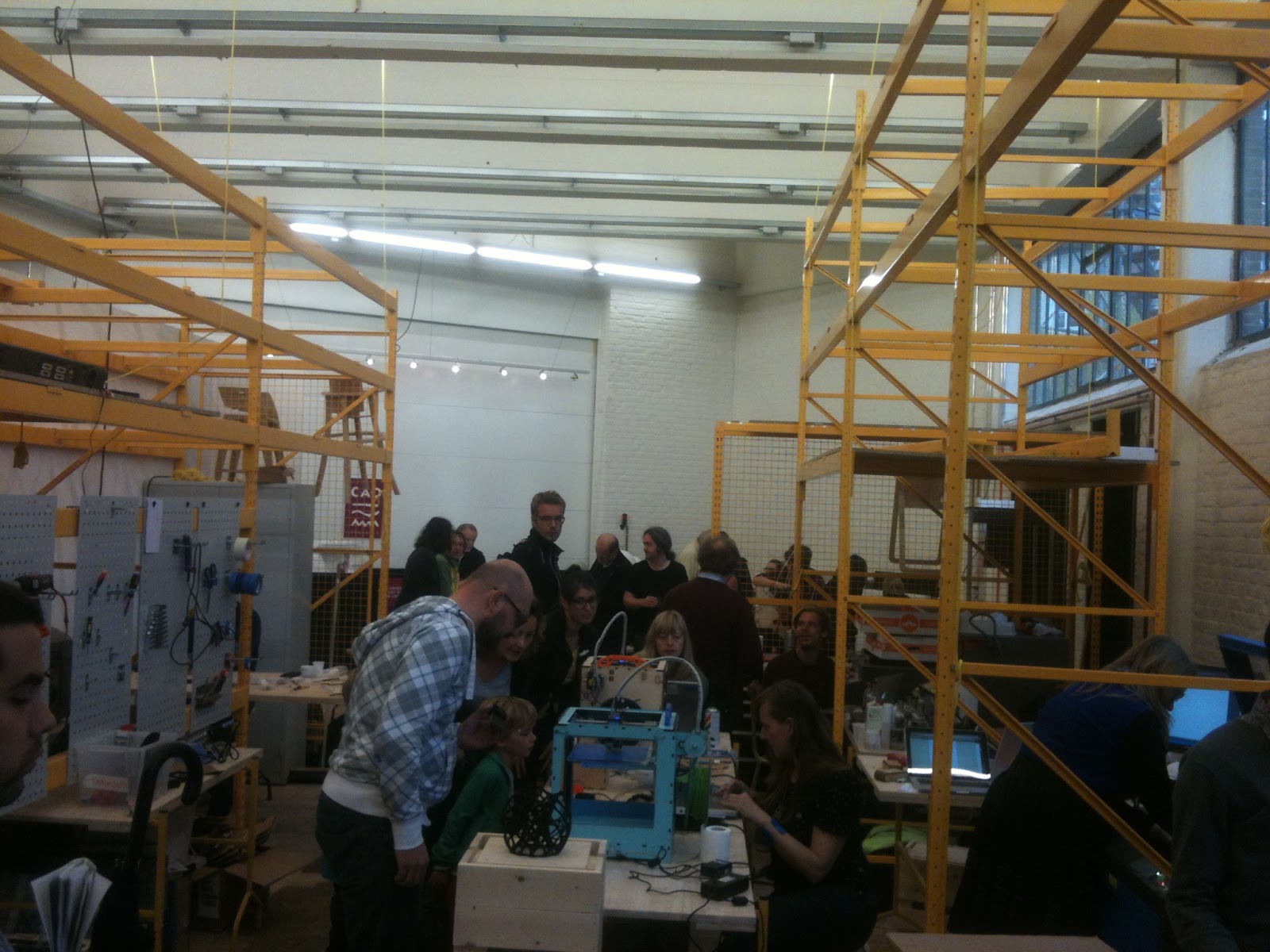
This weekend I participated in an Ultimaker build weekend @Buda::lab

Together with the guys from timelab (fablab from Ghent) Buda::lab (fablab from Kortrijk) a few teams started building Ultimaker 3D printers.  I volunteered in helping build a 3D printer (my budget isn't big a enough at this time to afford one :-) ).

I was teamed up with jo3ri to build his 3D printer and helped out wherever I could.  Sometimes a second pair of hands can be very helpful.


Some images


some vids


zaterdag 8 september 2012

Raspberry Pi NAS

This documents my setup of my Raspberry Pi as a cheap NAS

Initially I followed http://elinux.org/R-Pi_NAS but ran into some problems.  Especially the section on 'Adding USB storage' and more specifically 'Remount USB storage on startup' don't seem to be working for me. (might be my fault)

I finally got things working by following some tips on this page which actually made my system work.

I'm currently experimenting with a cubieboard as alternative to this raspberry pi NAS setup. Read about it here.

The following is a rude mash-up of the above mentioned sources, so all credit to them.

So basically, once logged in to your raspberry pi that is connected to the internet, you can do the following:

General setup
sudo apt-get update
to put your system up-to-date
sudo apt-get install samba samba-common-bin
installs samba binaries
sudo apt-get install autofs
allows you to automatically remount your usb drive when your raspberry pi restarts
sudo mkdir /home/shares
sudo mkdir /home/shares/public
sudo mkdir /home/shares/public/disk1
sets up the directory structure where your USB hard drive will get mounted

fstab setup
sudo cp /etc/fstab /etc/fstab.old
copy fstab file, just to be sure
sudo vi /etc/fstab
edit the fstab file by adding the following to the end
/dev/sda1  /home/shares/public/disk1  ext3 defaults  0  0

(I defined my USB drive as ext3 as I reformatted it to ext3 before starting to use it)

sudo mount -a
mounts all drives that are not mounted yet
ls -al /homes/shares/public/disk1
ideal time to see if you messed up your fstab file

automount setup
sudo vi /etc/auto.master
add the following
/media/ /etc/auto.ext-usb --timeout=10,defaults,user,exec,uid=1000
after
+auto.master

Samba setup
sudo cp /etc/samba/smb.conf /etc/samba/smb.conf.old
copy file, just to be sure
sudo vi /etc/samba/smb.conf
edit the file, add the following to the end of the file:
### USB share definition###########################
[usb]
comment = USB
sharepath = /home/shares/public/disk1
writeable = yes
valid users = @users
force group = users
create mask = 0660
directory mask = 0771
browseable = yes
###################################################

sudo service samba restart
restarts samba and activates the changes you added


sudo smbpasswd -a pi
adds the pi user to the samba users

So I hope I got this complete and correct. Please also consult the 2 sources I mention at the beginning as these form the bases of my mash-up.


zaterdag 18 augustus 2012

Second Raspberry pi

So what happened with the first Raspberry pi?  Well I sold it to a colleague of mine.

Unfortunately by selling all required elements of my first working Raspberry pi setup, I had no HDMI cable left to configure the second.

So while waiting for the HDMI cable, I also ordered one of the plexi enclosures for the raspberry pi designed by adafuit on ebay.

Voila, here's my setup:


What's next?  I'll try to setup a NAS with this raspberry pi, a self powered USB hub and some external USB hard drives. (If I find a few minutes of spare time :-) )

woensdag 11 juli 2012

My first Raspberry Pi alive and kicking

Just wrote the Debian image on my first Raspberry Pi, hooked it up to power and video out to my TV and....

first boot of my Raspberry pi

First I followed the 'SD card setup with linux' in the MagPi issue 2, but that did not seem to work.  On my version of Ubuntu I did the following:
  • inserted the SD card in to the SD card reader of my laptop (automatically appeared as /dev/sdb1)
  • did not unmount it
  • executed the following command 'sudo dd if=./debian6-19-04-2012.img of=/dev/sdb bs=1M'


woensdag 20 juni 2012

Reboot

So it's been a while.  In the last year I tried to combine being a new father, doing a full time job, having a long commute, doing sports several times a week en continue my Japanese evening class.

No wonder blogging and home projects fell a bit behind.

It became apparent during this year that Japanese evening classes just was too much and giving how my latest exam went I'm pretty much sure that quitting is the right thing to do :-)

Now to get me going on my home projects again I ordered a little, very popular gadget that just was dropped at my doorstep today.

A Raspberry Pi !!!!!!!!!!!!!!!!!!!!!!!!!

woensdag 21 december 2011

Inspiration

This blog post does not relate to one of my own achievements.  But I came across the this article and I found it inspirational.


vrijdag 16 december 2011

PC case overhaul

Now that I have my brand new, home made 19" rack; I'm moving the internals of my old pc to a new 19" rack mountable case.

Before starting the move, I backed up all the data that was on the PC. Yes, I didn't forget :-)

First I put my two patients on the operating table :-) .


As I'm having software RAID configured I needed to be sure to reconnect the drives in the same order as before. So I labeled the drives according to the connectors on the mother board.

Then I took a pic of the back of the PC to have an idea of how everything was setup before the move. I also took some further pictures of the connectors inside the PC.

Once I was assured that I had enough pictures, I disconnected all cables from the mother board.  Once disconnected I moved the mother board to the new case, followed by the power supply.


One neat thing about the new case is that it contains sleds for the hard drives making mounting the drives much more easier

After reconnecting everything, I booted the machine and everything seems to run fine.

As a finishing touch I tried addeinga some blue CCFL's I ordered on  ebay some time ago.  Unfortunately one of the two was broken (either in transport or during one of my moves :-) ). So I added the remaining CCFL to the case.  I'm still not sure how exactly I'm going to mount it, but below pictures give an idea how it might look.


Still some work to do, but, looking good so far.